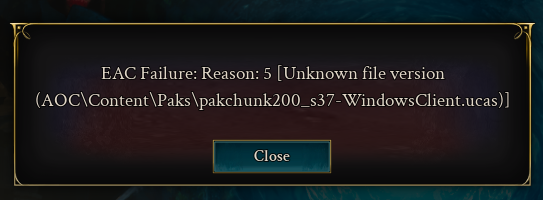
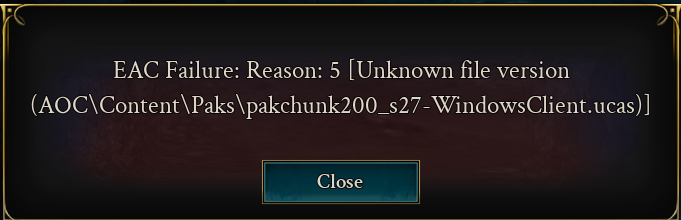
screen attached
Same but mine is: \pakchunk302_s3-WindowsClient.ucas
Same, mine is \pakchunk200_s40-WindowsClient.ucas
Same here, pakchunk303_s5 Happens continually, 4 attempts. Occurs after login, character selection, the loading bar finishes and then the screen darkens.
I repaired my files via Steam was able to get into the game.
same here today) on 1st day got 0 crashes and now crashing of error 5 every 5 mins) did gave permissions and checked health through cmd (all good)
is only option to wait?
I have the same error every 5 minutes in game, I can easiliy log in and start the game, after 5 minutes I get the same error and the game just closes. mine is pakchunk200_s20
Same problem
Same problem, were you able to solve it?
I had the same problem. I repaired the game in the settings, and then it worked. VG
same problem but pakchunk200_s29-WindowsClient.ucas - delted that file - restart … now s20 - deleted that file … next file with Problem… … next file … … repair the game … now i can play
Following what others are suggesting, please do attempt to delete whichever file is called out in your error, verify files through Steam, and try again.
This happens after today's update.
Similar error here as well, its generated after getting to the character select screen and attempting to load in.
EAC Failure: Reason 5 [Unknown file version AOC\Content\Paks\pakchunk400-WindowsClient.ucas)]
Same issue No change i have done everything. nobody is responding to my support request i have a brand new pc. i can launch game from steam folder and get code 10 then no realms available code 23 every app is set to run as admin. still get code 5 from intrepid launcher uninstalled re-installed game this afternoon after patch.. no change. the Launch from steam button on the website goes to page not found. i see no access in inventory ther is no steam link option in account settings only discord.. file verification is done no issues app id 4124950 build ID 21206070. getting very close to requesting refund.
Discussion Title - Unable to load into Realm with EAC Failure Reason 5
Description After creating a character when trying to load into the Realm I get EAC Failure Reason: 5
Bug Reproduction Steps 1. Created Character
2. Attempted to start game - EAC Failure
3. Reloaded game - same result
4. Changed realm
5. Created character
6. Attempted to start game - EAC Failure
7. Reloaded game - same result
Expected Result Loading into the realm and starting the game
Bug Report - Actual Result Unable to play the game
Similar bug issue… but I am able to log in and play the game for a short period of time before the game crashes to the lobby and I receive this error.
Game was initially unplayable after installing via Steam due to this bug. Verified (fixed) files through Steam launcher and received the message "3 files failed to validate and will be reacquired." Attempted to restart Steam and play the game and now the launcher window pops up requiring me to sign in but the sign in button does nothing. Game still unplayable on this computer.
Quick update… quitting Steam, rebooting the computer, restarting the game through Steam worked. So it appears the work around for this bug is to verify (validate?) your game files through the Steam app and then reboot your computer after before reattempting to launch the game again through Steam.
yea nope. error 5 on launch still persists
no response from support on this topic either. to me this is a fail.
might revisit game in a month or so.. write up the cost as lesson learned "never buy a game on first week of launch"
Same issue here. I just verified the files on steam and so far it's working fine
It looks like you're new here. Sign in or register to get started.
Resolver not registered: react.custom.0199b6d0-d352-7162-a5b8-ddd4c6d40976