Glorious Alpha Two Testers!
Alpha Two Phase III testing has begun! During this phase, our realms will be open every day, and we'll only have downtime for updates and maintenance. We'll keep everyone up-to-date about downtimes in Discord.
If you have Alpha Two, you can download the game launcher here, and we encourage you to join us on our Official Discord Server for the most up to date testing news.
Alpha Two Phase III testing has begun! During this phase, our realms will be open every day, and we'll only have downtime for updates and maintenance. We'll keep everyone up-to-date about downtimes in Discord.
If you have Alpha Two, you can download the game launcher here, and we encourage you to join us on our Official Discord Server for the most up to date testing news.
Launcher Needs Account Name Field
 Wumpus Amungus
Member, Alpha Two
Wumpus Amungus
Member, Alpha Two
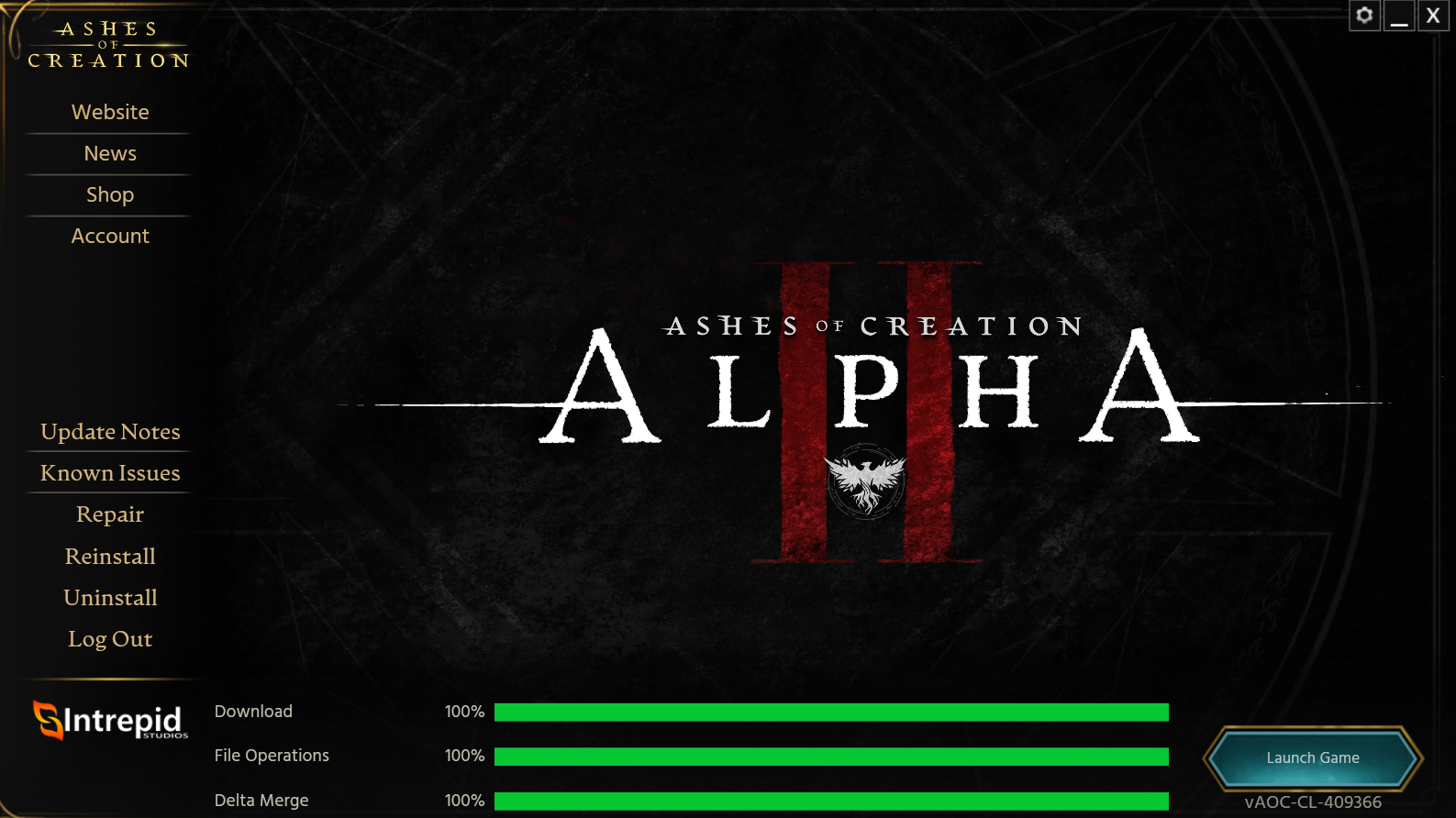
Sometimes, people within one household share a computer. On the Launcher, there is nowhere to tell what account is logged in until getting all the way to the character select screen (which takes a while and requires several clicks to get past the warning and splash screens).
On the screen with the <Launch Game> button, there needs to be some field that shows what account is logged in. If this isn't the account that we want, we can simply click the logout button to go back to the login screen and login with the correct account. Also, have the label showing the environment (i.e., Alpha Two or PTR) would be useful as well.
On the screen with the <Launch Game> button, there needs to be some field that shows what account is logged in. If this isn't the account that we want, we can simply click the logout button to go back to the login screen and login with the correct account. Also, have the label showing the environment (i.e., Alpha Two or PTR) would be useful as well.
1
Comments